Services options
The Managed WAN Services options can provide simple monitoring and notification up through full management of your network. Verizon is vendor, transport, and equipment agnostic which means we can deliver the right business solutions for you.
Verizon offers three service levels based upon your needs to meet your business objectives.
Note: Your level of service is based on your contractual agreement with Verizon.
Full Management
Verizon proactively monitors your network, provides timely notification to you if a fault is detected, and will remediate all Customer Premise Equipment (“CPE”) physical and logical faults as well as all transport and access issues. Verizon’s Managed Service Delivery team will set up security privileges and addressing schemes, they will retain administrative control of the router, as well as maintain router/switch passwords on your behalf.
Verizon’s Managed Services NOC detects and isolates any specific issues that may occur, remediates CPE logical and physical issues, resolves the fault condition remotely (for logical faults) or by dispatching resources to your site (for physical faults), and they will remediate issues with your access and/or your network.
Note: Your level of service is indicated within your contractual agreement with Verizon.
Physical Management
Verizon proactively monitors your network, provides timely notification to you if a fault is detected, and remedies CPE physical faults as well as transport and access issues. You retain responsibility for correcting logical CPE faults.Verizon’s Managed Services NOC detects and isolates any specific issues that may occur. Verizon will remediate CPE physical issues by dispatching resources to a customer’s site. If Verizon determines the issue is related to CPE software, or a logical fault, the Managed Services NOC informs you the issue is related to CPE software, so you may remedy that issue. Verizon remains responsible for remediating issues with the access and/or the network.
Monitor and Notify
In 2026, Monitor & Notify (“M&N”) became a proactive, AI-powered intelligence engine. For customers on Private IP (“PIP”), Internet Dedicated Service (IDS), E-line or Global Business Internet (“GBI”) circuits, this upgrade turns your network edge into a powerful source of actionable data.
Key Customer Benefits
From Reactive to Proactive: Move beyond simple "up/down" outage alerts. The M&N service uses artificial intelligence and trend analysis to visualize metrics, scoring consumption patterns and overall health to predict potential issues to help limit the impact on your business.
Enhanced Visibility: Gain instant visibility through the Network-as-a-Service (“NaaS”) Management Center Portal. By correlating Verizon-provided data with your own via advanced performance dashboards, you can instantly distinguish whether an issue stems from the Verizon Provider Edge (“PE”) or your Customer Equipment (“CE”)—eliminating ambiguity and accelerating resolution.
Built-in Security Intelligence: Access a near real-time dashboard tracking device security advisories and specific common vulnerability exposures (“CVEs”). This automated visibility allows your team to prioritize and execute remediation before threats manifest.
Digital Self-Service Provisioning: Customers can now directly download provisioning configurations for their CPE directly from the NaaS Management Center portal, allowing for configuration and deployment of new devices in minutes. Device monitoring status is also viewable in the NaaS Management Center portal.
Manage your account
Customer Action : Service Delivery Related Steps
A successful implementation of Monitor & Notify service level requires your active involvement. Below are the steps you would follow for a smooth installation -
Confirm you have access to the NaaS Management Center Portal - Direct access or access via Verizon Enterprise Center (“VEC”).
Register for the Verizon Enterprise Center
Register to the Verizon Enterprise Center at this link: :https://enterpriseportal.verizon.com/ui/public/#/selfreg/lob
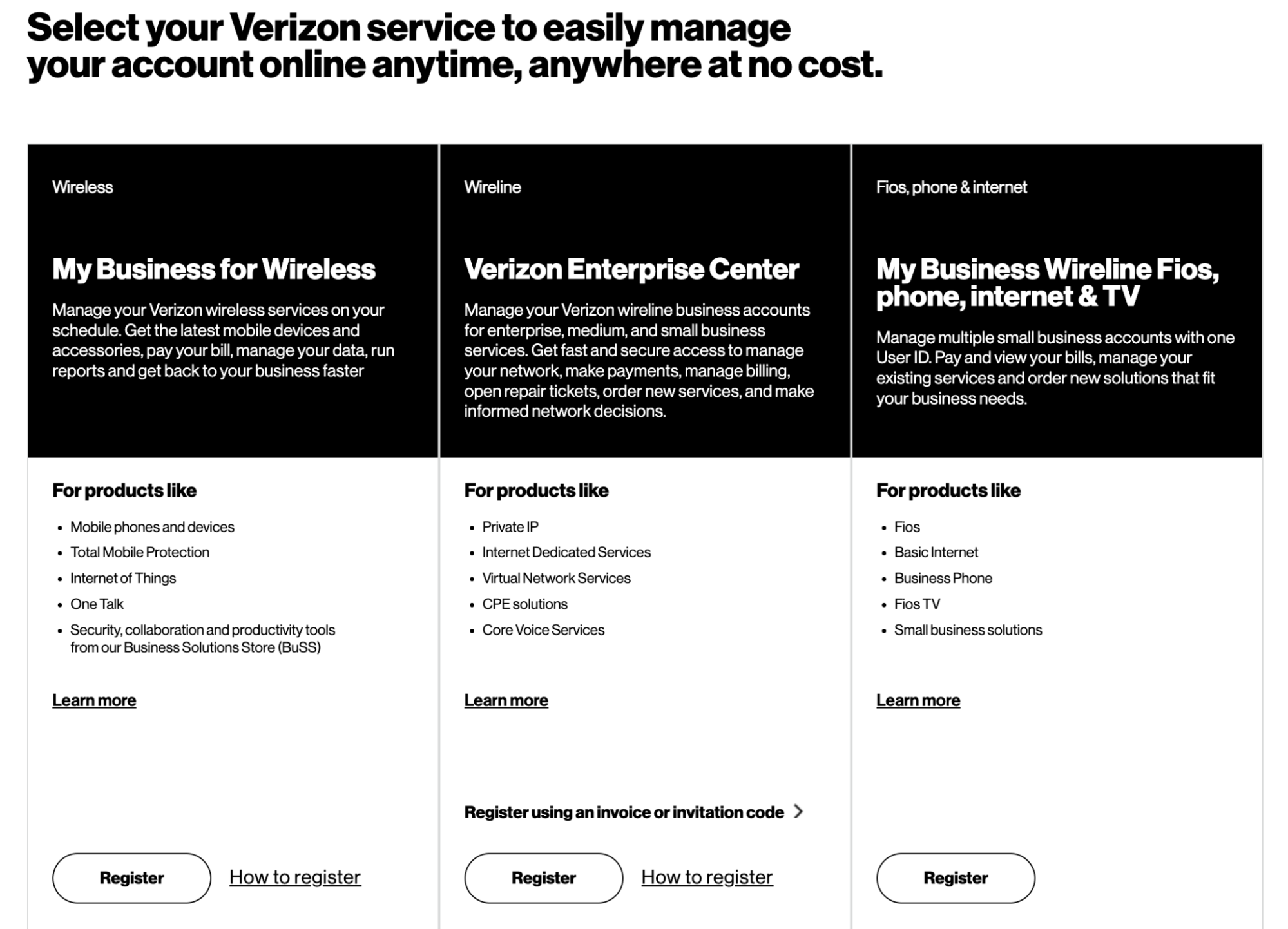
Go to: http://naas.verizon.com/
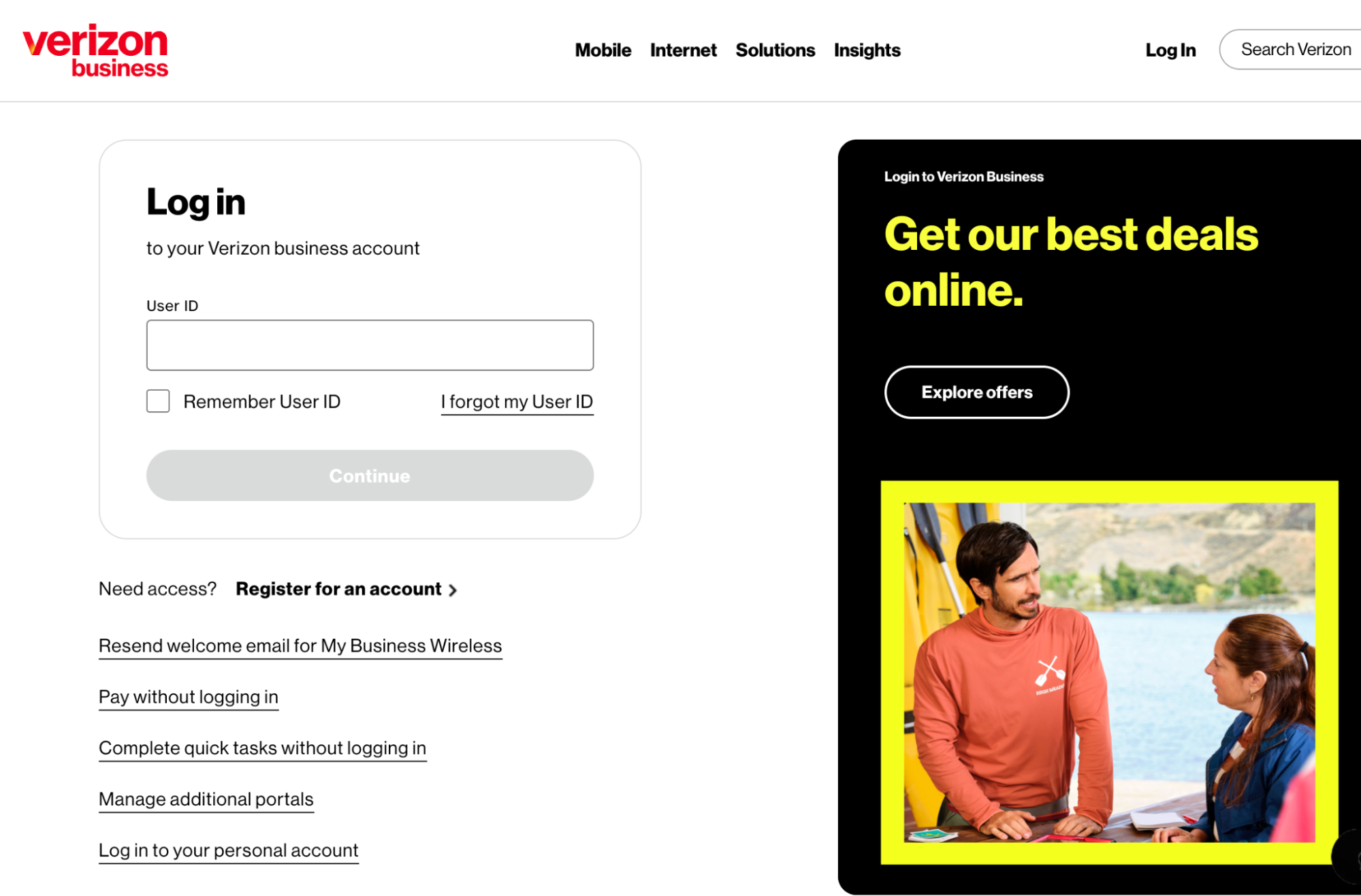
Once logged into the NaaS Management Center Portal, you will have to download the Simple Network Management Protocol (SNMP) configuration and apply it to all of your applicable to customer-managed only routers.
You will need to review the WAN interface & SNMP version configured on each router and 'Confirm' on NaaS Portal that you have validated the configurations.
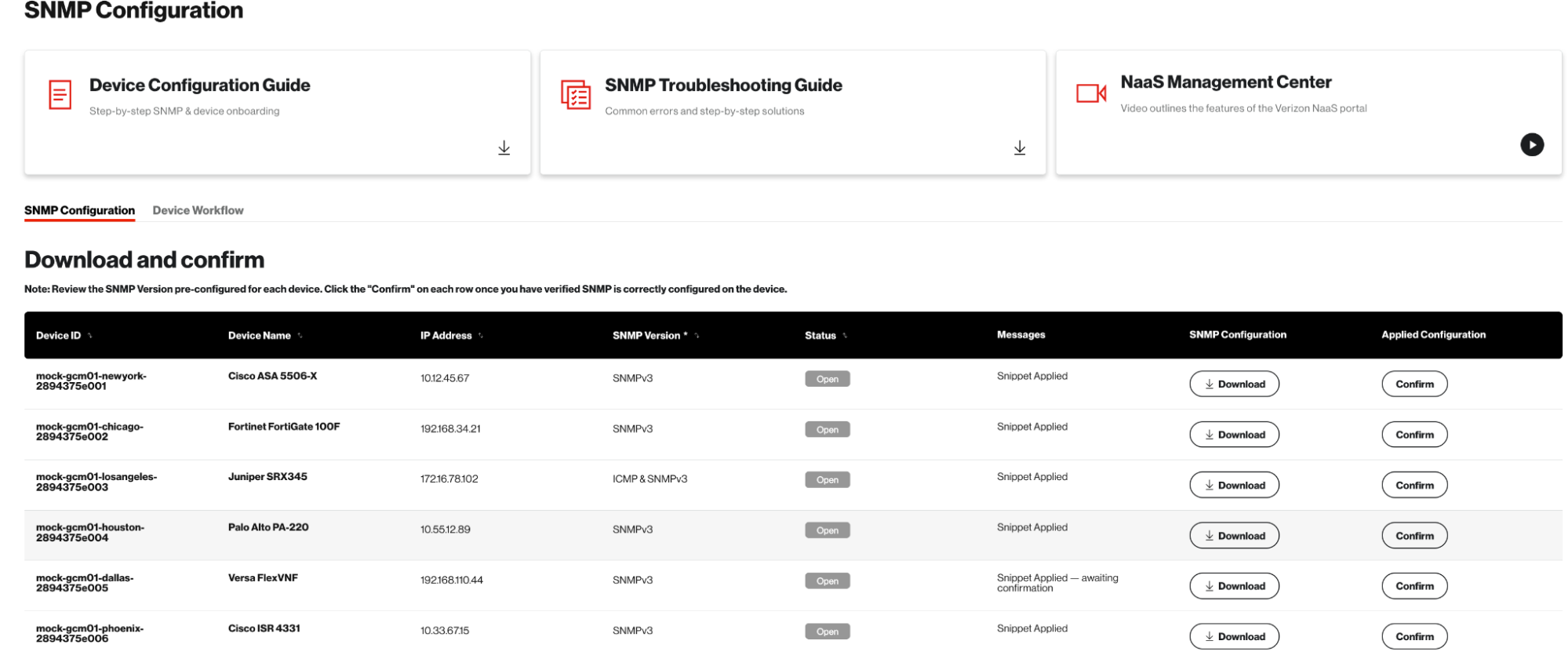
Customer Action : Service Active
- Once logged into the NaaS Portal, you can access various service assurance dashboards
- You can also generate real time reports (PDF format) on the NaaS Portal